
Floating window
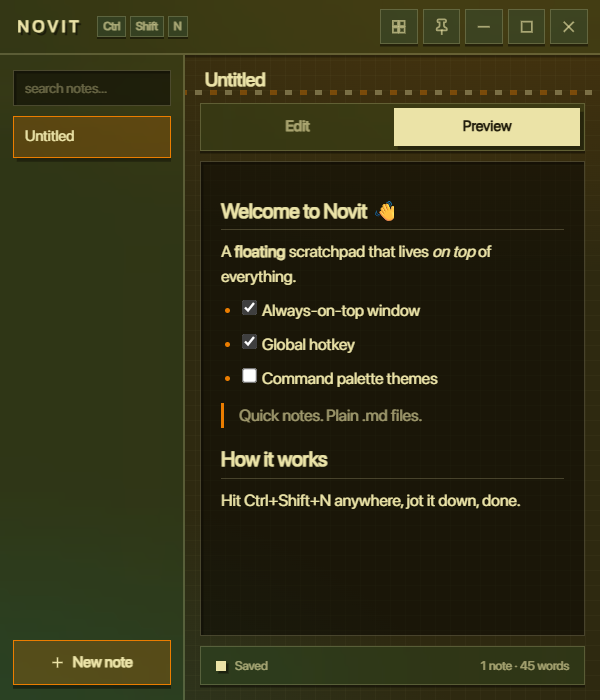
Frameless and always-on-top. Pin it, move it, or let it hover over your editor while you work.
Floating · Always-on-top · Autosaved
Novit is a tiny scratchpad window that stays on top of your work.
Hit the hotkey, jot it down, close it — every keystroke is saved
to a plain .md file on your disk.
Features
Frameless and always-on-top. Pin it, move it, or let it hover over your editor while you work.
Ctrl+Shift+N summons Novit from anywhere — no alt-tabbing through windows.
A formatting toolbar over a live preview. Markdown stays readable underneath, always.
Debounced saving to real .md files. Your notes are plain text you own — back them up, sync them, edit them anywhere.
Ctrl+K to switch notes and run actions without ever touching the mouse.
Show, hide, create a note, or quit — all from the tray. Novit stays out of your way until you need it.
Themes
Switch with one click from the titlebar. Your choice sticks between restarts.
Warm parchment & forest tones. The default.
Deep violet with a lavender glow.
Night-sea tones with an electric accent.
Dark wine with a rosy highlight.
Shortcuts